
How Can A Static IP Address Support Remote Access?


You’re on an important work call, sharing your screen, and something happens to your home network address, and the connection is lost. Then your IT team has to open up the firewall settings again just to get you in. This kind of problem happens more often than most remote workers realize, and it quietly takes time away from everyone’s day, one small interruption after another.
The solution is very simple. With one address that never changes, your tools, servers, and VPN no longer treat you as a stranger with each logon. That single change turns a shaky remote setup into one you barely have to think about anymore.
This article explains exactly how a fixed address makes remote access work the way it should.
- Gives Remote Teams a Trusted Network Identity
A static IP address is similar to a name tag that is attached to your network and never removed. This is not a regular home connection, which receives a new address every time the router restarts. Once your firewall and VPN learn it, there’s no need to ask questions again.
This consistent presence is of great importance. Whenever the same address appears each time, whitelisting rules remain in place, and your remote team associates can access with no concern. Your administration staff will no longer need to find another IP or recreate access rules.
It also offers security benefits. Systems that recognize your address allow you to log in as normal, not flagging for review. That consistent acknowledgment is what helps you maintain your access without it being continually challenged.
- Keeps VPN and IPsec Tunnels from Dropping and Renegotiating
A video call can freeze the moment your VPN tries to reconnect. This typically occurs when the IP address changes, which causes the IPsec tunnel to re-establish itself. If a connection is made with one static address, then that constant restarting just stops.
This is most noticeable during moments that matter, like when transferring large files, on client calls, and when working in a shared drive. The tunnel stays up quietly in the background. You don’t need to explain a dropped connection in the middle of a presentation.
This also relieves pressure on network operators. With reduced tunnel drops, your IT team doesn’t have to rebuild the same connection multiple times throughout the day. A stable tunnel allows more time for all to concentrate on the actual work.
- Allows Direct Access to Office Servers Without Workarounds
A fixed IP address eliminates a common issue: the need for dynamic DNS software to access a server on the office network, or for unreliable port forwarding rules. You connect directly to the address, and the connection is established.
This direct route appears in numerous areas, such as daily shared drives, internal dashboards, and remote desktop sessions. There is no change in the logon process; nothing new to learn every morning. The work proceeds right where it left off the previous day.
In addition, this also helps to simplify setup for any new member to join the remote team. With fewer steps, there is less to explain, and there is less opportunity for error. A direct connection to the server works better than a workaround built to patch around the problem.
- Strengthens Security Logging and Threat Monitoring
Security logs can only be useful when the information contained in them remains constant. Each entry is linked to one address, which can be identified with your connection rather than a list of changing numbers.
This is most important when something appears strange. When there is a constant address, it is immediately obvious who made the unusual login attempt, and it is not lost in the range of pages of changing IP addresses. That saved time is a real difference in the time of a real security issue.
Also, this steady record also helps in quieter ways. When logs are clean and consistent, then audits and compliance checks become much less stressful, as you can display who has connected and when. Monitoring that provides definite answers is much more beneficial than monitoring that offers additional noise.
- Cuts Down IT Support Tickets and Downtime
Numerous IT support tickets are related to the same root cause: an address that changed and broke something along the way. After eliminating that variable, reconnections, lost sessions, and firewall reboots stop filling up the support queue each week.
Your team notices this on ordinary days too, not only during major outages. Meetings run without last minute scrambling, deadlines are not affected by a dropped connection, and no one has to sit and wait for a VPN app to reconnect.
Over a few months, these small savings add up in real staff hours and fewer problems to fix. Your IT team can spend that time on projects that move the business forward, instead of solving the same issue over and over again.
- Makes Site-to-Site and Cloud Gateway Setups Far Simpler
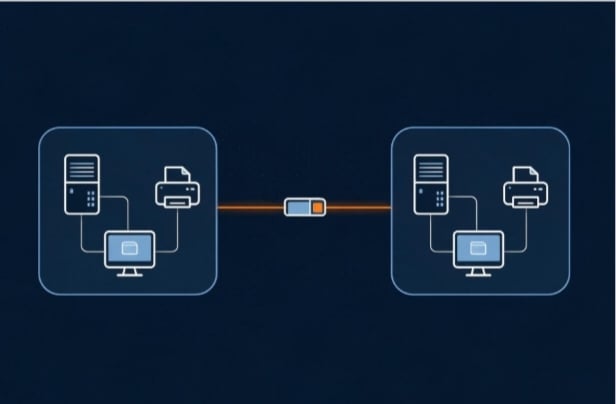
Remote access isn’t only about one person connecting back to the office. A lot of the time, it’s two networks that need to trust each other — a branch office reaching head office, or on-prem infrastructure reaching a cloud VPC. That kind of connection depends on each side knowing exactly where the other one lives.
A site-to-site IPsec tunnel is built around a fixed endpoint. When the address on either end shifts, the tunnel has to be re-paired, subnets re-checked, and firewall rules re-entered before traffic flows again. A static address removes that entire step. The gateway is configured once, against an address that isn’t going anywhere, and it simply stays connected — through office moves, ISP changes, and everyday network hiccups alike.
This matters more as a business grows. Standing up a new branch, linking another cloud region, or bringing a partner network online all go faster when the addressing on your side is already settled. It’s one less variable to troubleshoot when a deployment that should take minutes starts stretching into hours.
Conclusion
A fixed address does more than patch over connection problems, it removes the reason those problems happen in the first place. Stability, security, and a simpler setup follow naturally once your network stops changing its own address on its own.
If remote access is part of your daily routine, this is a change worth making soon. It may seem small on paper, but your team will notice the difference within the first week, through fewer interruptions and much less waiting.